



City Transitioning to Online-First Permitting July 1
June 12, 2026
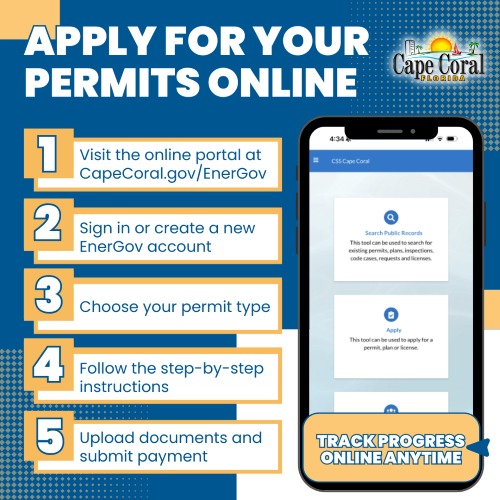 The City of Cape Coral is moving to an online-first permitting system July 1 to improve efficiency, reduce wait times, and expand access to services.
Beginning July 1, owner-builders will be expected to submit permit applications through the City's online portal, bringing all permit applicants into the City's digital permitting process. Licensed contractors have been using the online system since 2024.
Permit applications and related services can be accessed through the City's online portal at CapeCoral.gov/EnerGov.
In-person counter services will be more limited and structured, with reduced walk-in availability. Support remains available for those who need assistance. Public computer stations are accessible at City Hall, and staff are available to help guide customers through the online process.
The City’s online system makes it easy to:
- Apply quickly: Submit permits at your convenience, without waiting in line.
- Stay informed: Upload documents, check application status, and receive real-time updates.
- Access anytime: The secure system is available 24/7, giving residents the freedom to manage their permits on their own schedule.
Owner-builders are encouraged to begin using the online system now to help prepare for the transition.
For questions or assistance, email Permits@CapeCoral.gov.